Plant Concept
Plants as reusable component circuits: simplified and detailed plant model, assignment to consumers and energy plants
Overview
In VICUS Districts, a plant describes the hydraulic circuit at a network node – for example the transfer station of a consumer or the pump and generator circuit of an energy plant. A plant is a reusable circuit built from components (pumps, heat exchangers, valves, heat pumps, ground heat sources) with exactly one inlet and one outlet. Plants are database elements and can be assigned to any number of consumers and energy plants.
Access
- Network properties panel, category Plants – assignment and management within the project
- Menu Databases > Plants… – plant database for creating and editing plants
Structure of a plant
Each plant has exactly one inlet and one outlet; between them, components can be connected in series and in parallel. When exported to the simulation model, the plant is inserted at the associated network node between the supply and return lines.
Node-specific data is not part of the plant: the building demand (connection load, demand time series) is defined at the network node, while the plant itself remains location-independent. As a result, a single transfer-station plant is enough for all consumers of a network, for example. The type of heat exchange (e.g. temperature boundary condition or prescribed heating power) is defined per component in the Heat exchange tab of the plant editor.
Simplified and detailed plant model
For the two most common cases, VICUS Districts provides simplified plants with just a few parameters. Detailed plants, by contrast, allow freely defined circuits in the graphical plant editor.
Simplified plant: consumer
| Parameter | Unit | Meaning |
|---|---|---|
| Pressure loss | bar | Required or fixed pressure loss of the plant |
Simplified plant: energy plant
| Parameter | Unit | Meaning |
|---|---|---|
| Pump control mode | – | Constant pressure, Index-point controller or Heating-power controller |
| Pump head | bar | Head of the pump in Constant pressure mode |
| Differential pressure at the consumer | bar | Minimum pressure difference at the index-point building in Index-point controller mode |
| Heating-power setpoint | kW | Setpoint in Heating-power controller mode |
| Heating curve | – | Supply temperature as a function of outdoor temperature |
Via Convert to detailed plant …, a simplified plant is turned into a detailed circuit and can then be extended freely.
Detailed plant
Detailed plants show a preview image of the circuit in the database; Edit plant … opens the graphical plant editor.
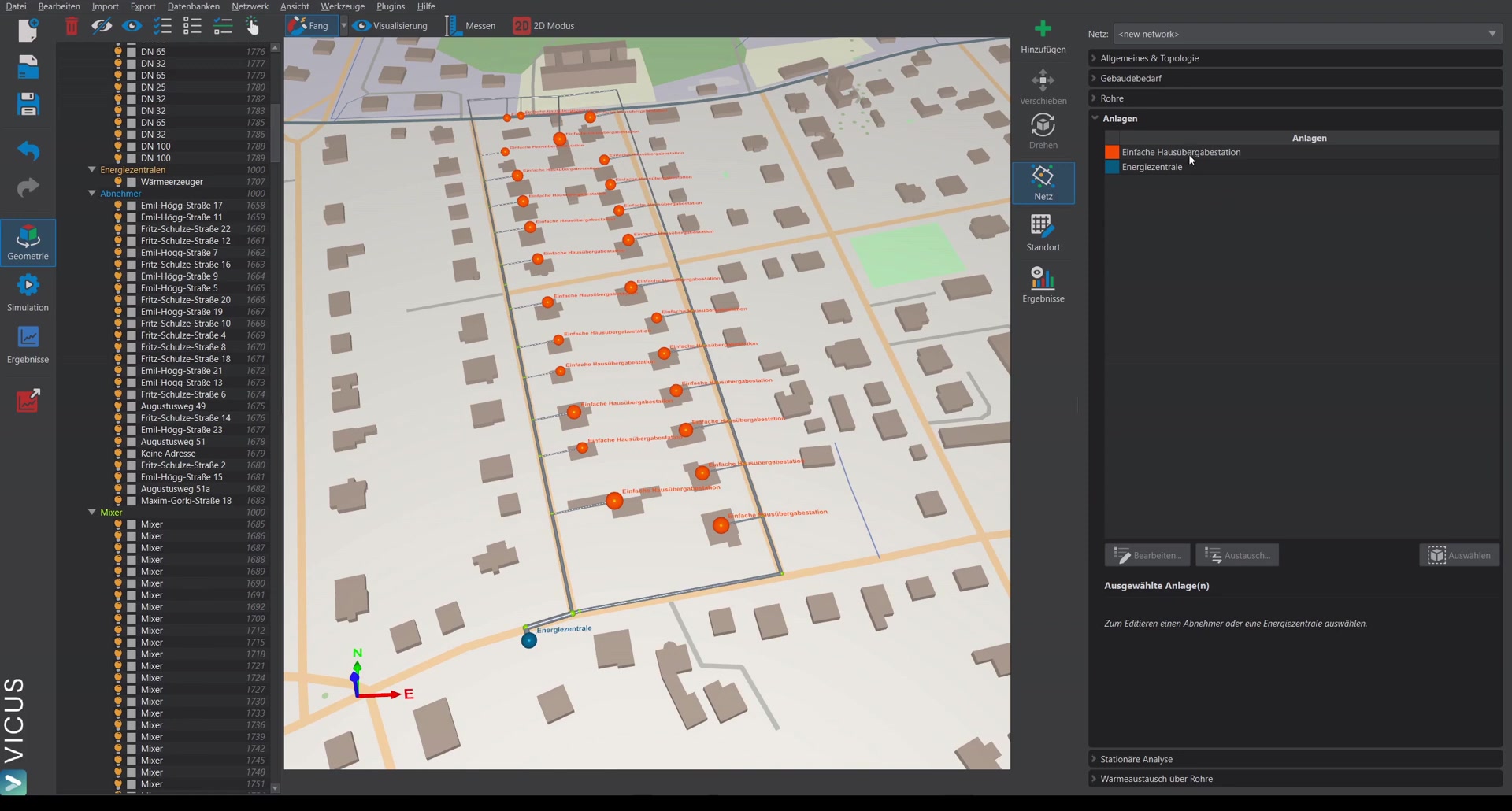
Assigning plants (Plants category)
The Plants category in the properties panel lists all plants of the project in a table with color and name; the nodes in the scene are colored accordingly.
| Button | Function |
|---|---|
 Edit… Edit… | Opens the plant selected in the table for editing |
 Exchange… Exchange… | Exchanges the selected plant for another plant |
 Select Select | Selects all consumers in the scene to which this plant is assigned |
 Assign from DB… Assign from DB… | Assigns a plant from the database to the node selected in the scene |
 Assign from table Assign from table | Assigns the plant highlighted in the table to the selected node |
To assign or edit, a consumer or energy plant must first be selected in the scene; under Selected: the currently assigned plant is shown.
Notes
- Plants are only assigned to nodes of type consumer or energy plant.
- Because plants are database elements, changing a plant affects all nodes to which it is assigned.
Important in practice
Because a plant is attached to many nodes, every change is a global change. If you only want to adjust individual stations (e.g. a different pressure loss on a subset), first create your own plant using the copy function and assign it selectively – otherwise you will unintentionally alter the entire network.