VICUS 2.1: Automatic Network Report & ALKIS Download
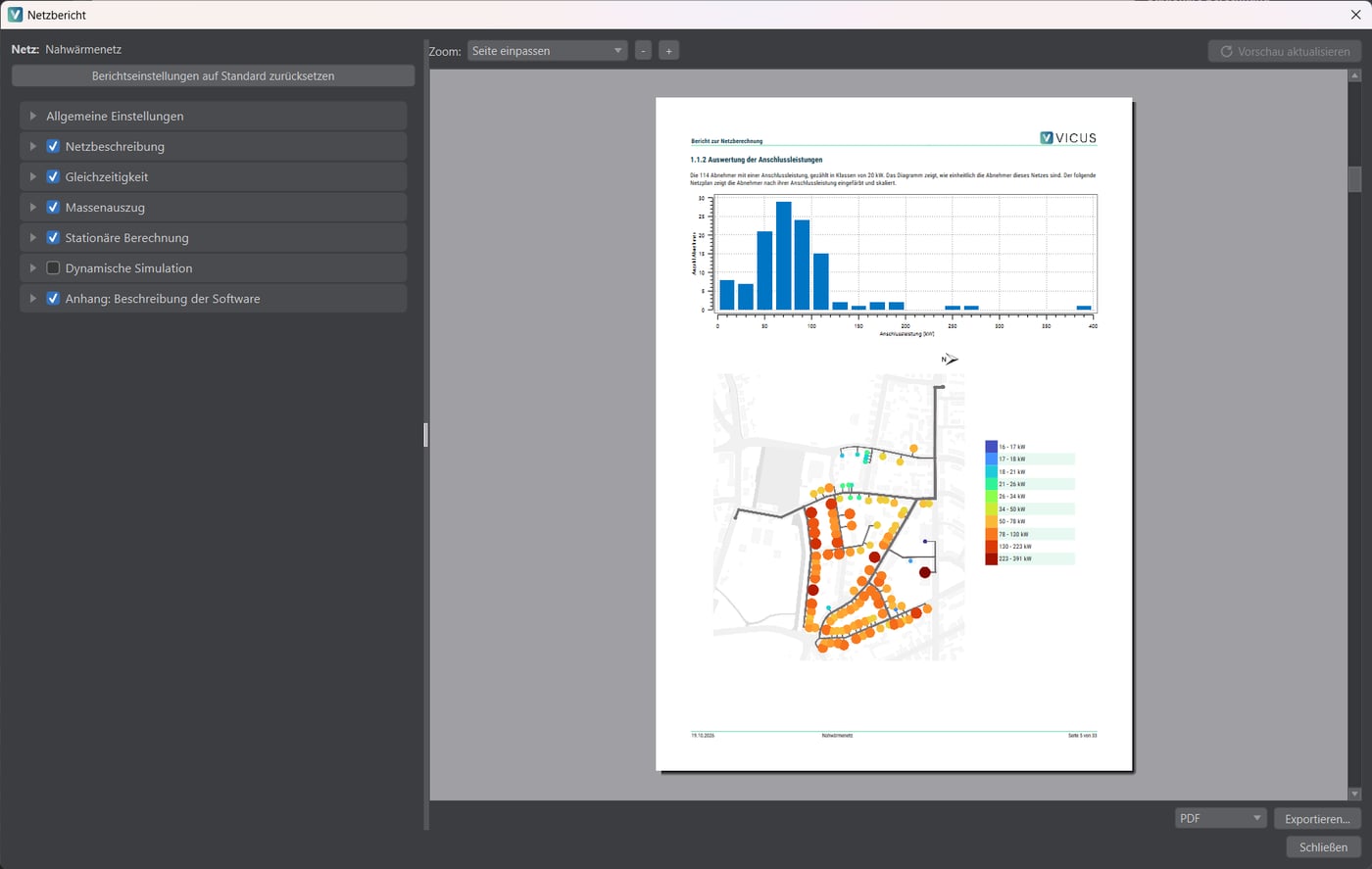
VICUS 2.1 brings the last step of network design closer to the simulation: VICUS Districts now writes the planning report itself. On top of that come a direct download of ALKIS survey data, a completely new results evaluation, more realistic models for domestic hot water and substations, and a pressure check of the entire network.
Automatic network report
The new network report collects the design in one document: project data and network description, the steady-state design with operating points, pressure profiles, pump sizing and pipe utilization, the dynamic annual simulation with time-resolved diagrams and an evaluation of pump operation, diversity, plus bill of materials and an appendix with the boundary conditions. Heat losses and pump electricity are rated against reference values right away, and the network maps are colored and carry a north arrow over a pale map background.
Chapters, operating points, maps, colors, logo and index point are freely configurable; chapters the network has no content for are left out automatically. The report is created as PDF or as an editable ODT document for Word and LibreOffice.
New results evaluation
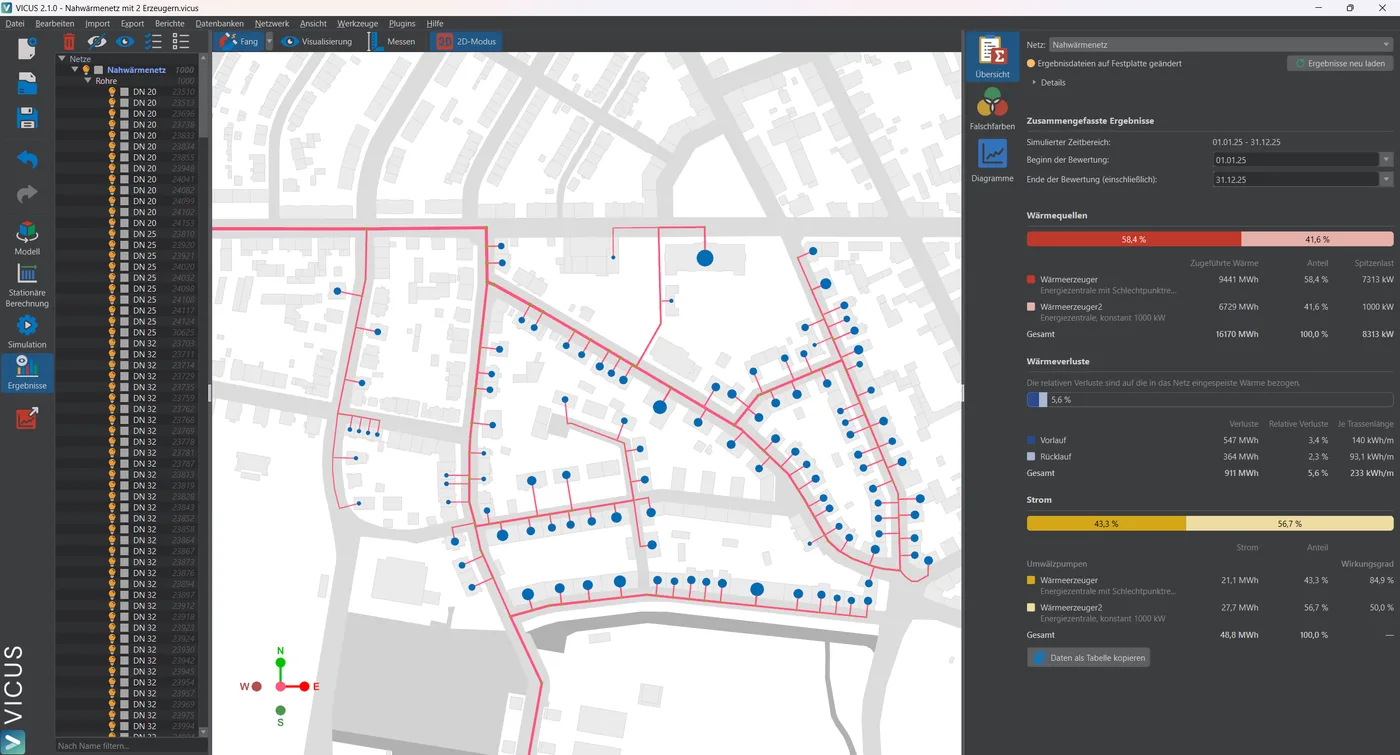
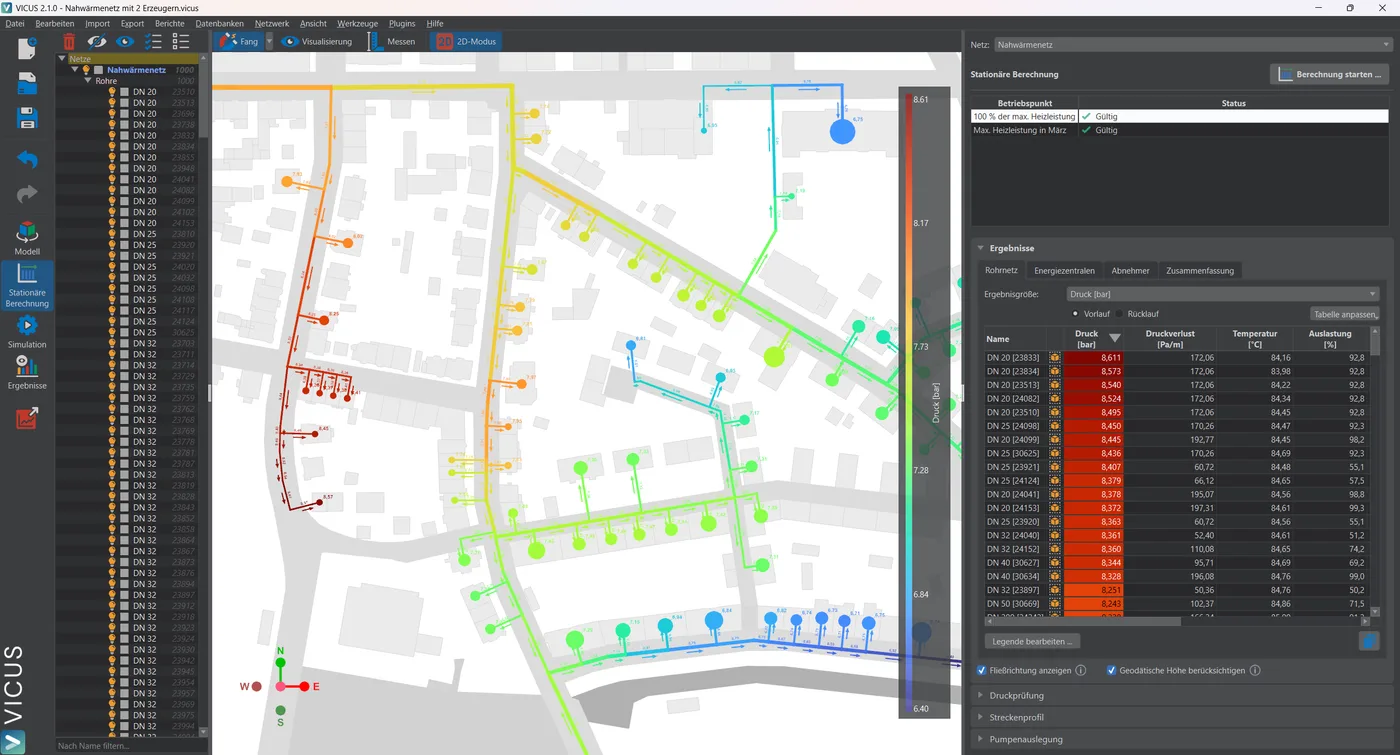
The network results view is completely new. A summary shows the energy balance of the network at a glance, pump curves show the operating points over the year, and every substation gets its own diagrams. Diagrams can be created per consumer, pump or selected node and narrowed down by name filters. New false color quantities such as heat loss per length, full load hours, DHW share or storage volume make anomalies visible directly in the network map. Heat losses are reported separately for supply and return, and several networks in one project keep their own results.
GIS integration and ALKIS download
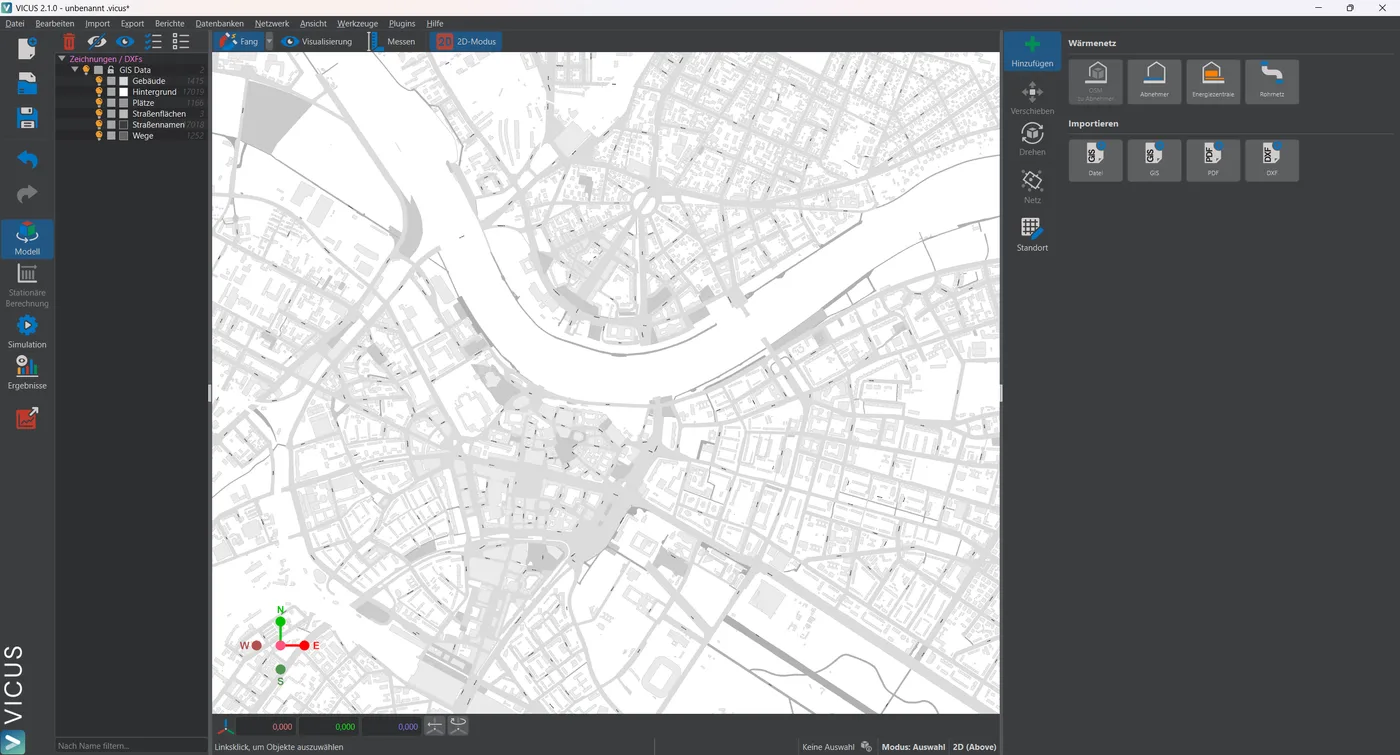
To get a project started, VICUS Districts now downloads ALKIS and ATKIS survey data – buildings, street areas and parcels – directly from the geodata services of the German federal states. OSM and ALKIS import share one dialog with map selection, and street names are labeled automatically. The GIS import of networks additionally detects the formats of nPro and heatBrAIn, and DXF files are read and written with their coordinate system – including all steady-state results.
More realistic demand profiles and controls
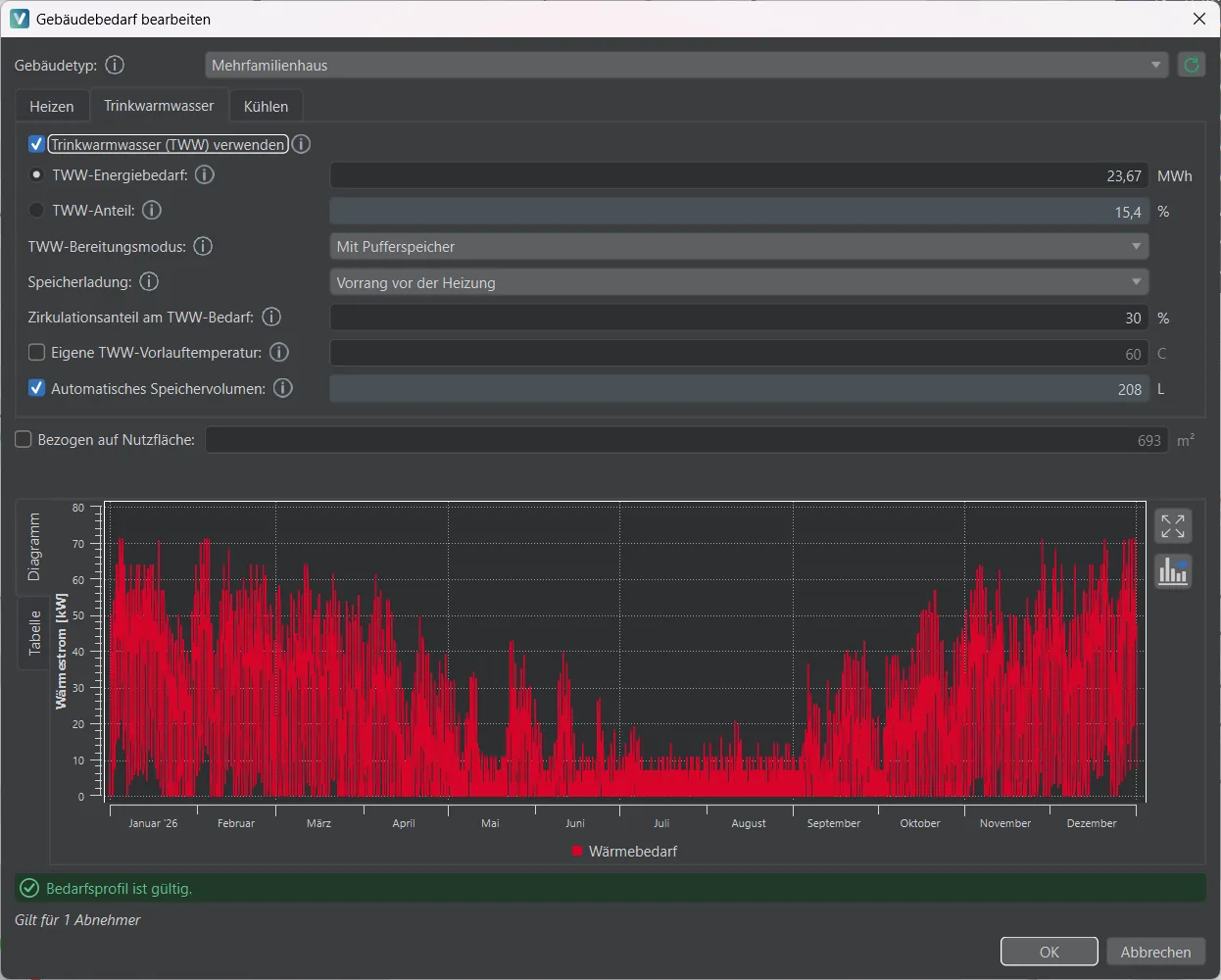
Domestic hot water is now modeled by default with a decentralized buffer storage per consumer, charged under thermostat control either in parallel with space heating or with priority; VICUS sizes the storage automatically. A new substation with thermostatic bypass keeps connection pipes warm at low load – for instance in summer, when only hot water is drawn.
For diversity, individual consumers can be excluded and aligned to the network peak, and a minimum consumer load at the peak is guaranteed. Building demands can be imported and exported as Excel workbooks.
Hydraulics and pressure check
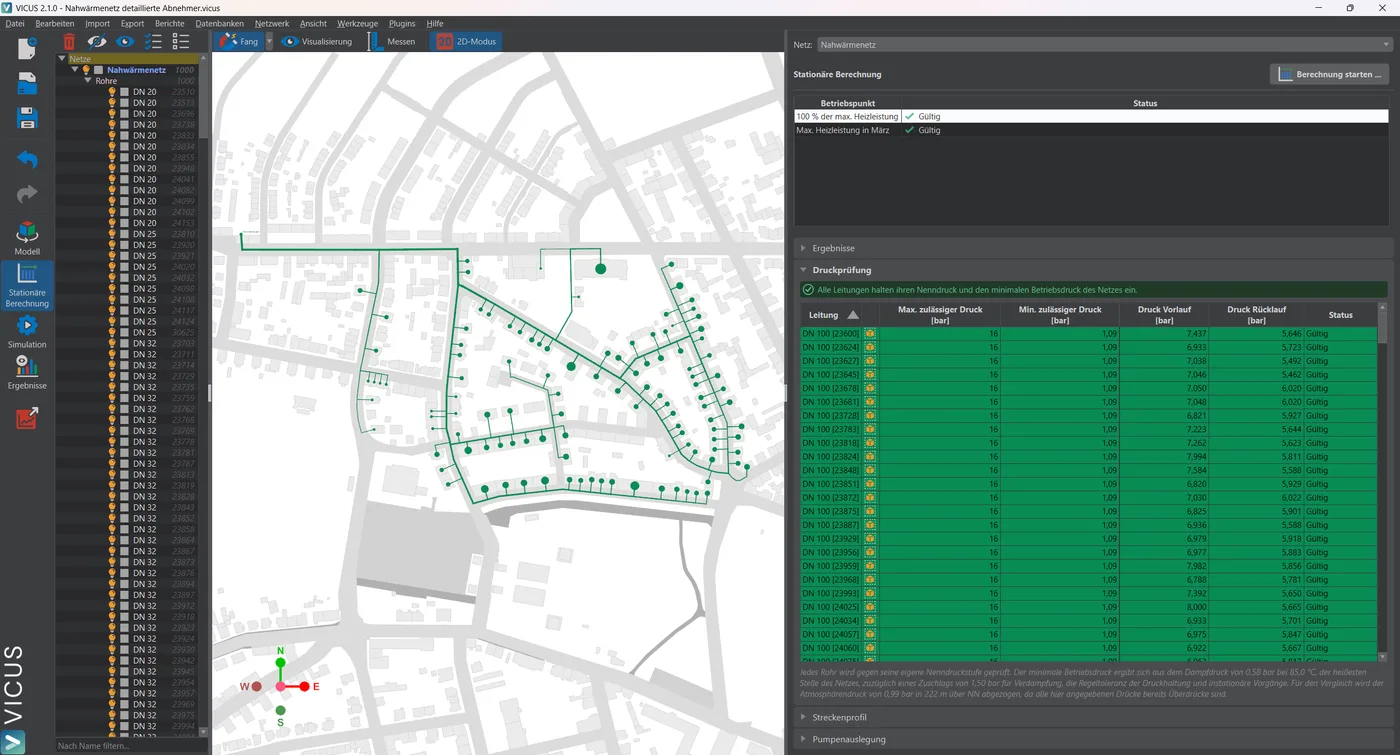
VICUS checks the entire network against its nominal pressure rating and minimum operating pressure and shows the result on a dedicated page of the steady-state calculation; pressures are consistently reported as gauge pressures (details on the pressure calculation).
Plants can be connected inline into the pipe run, consumers can be supplied from supply or return only, and a new component models pressure losses with a fixed Kvs value. Pipe sizing follows the actual maximum power, and the hydraulic solver has become faster and more robust.
Further improvements
VICUS Buildings keeps growing as well: an assistant creates usage profiles for residential and non-residential buildings, dynamic shading follows DIN/TS 18599 and ISO 52022, and thermostats take pre-heating and pre-cooling times into account. Add to that a navigation tree with name filter, a fully undockable plot area, a signed Windows installer and numerous bugfixes. Projects from version 2.0 open directly in 2.1.
Download VICUS 2.1
If you don’t know VICUS Districts yet, the easiest way to get started is a short demo with our team. We are happy to answer licensing questions via the contact form.
Ready to try it yourself?
Experience VICUS Software live — in a personal demo or download it right away. Sustainable planning starts here.