VICUS 2.0: Buildings Beta & new Diversity Optimiser
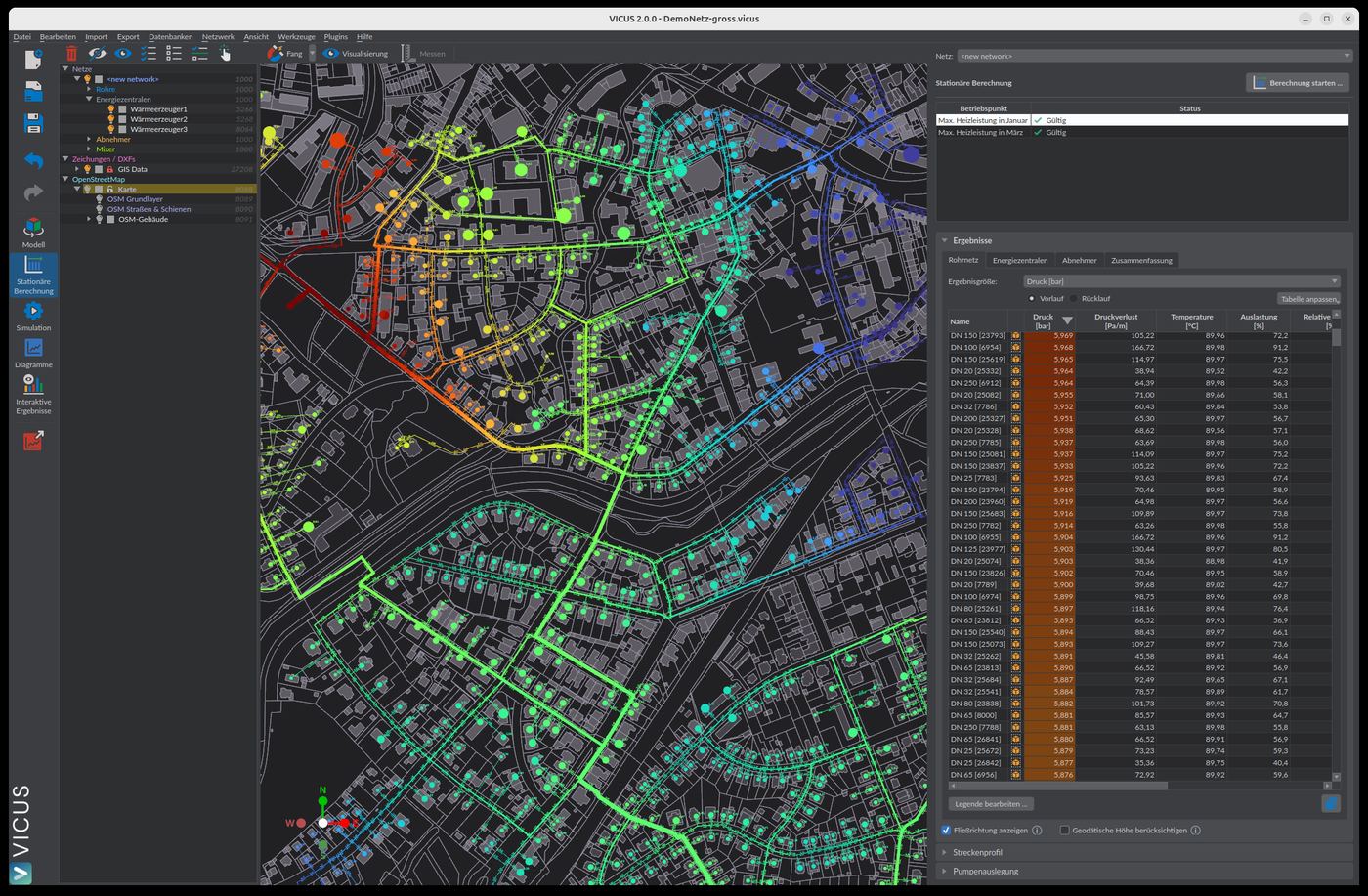
VICUS 2.0 brings two changes that matter for engineering offices. VICUS Buildings, our tool for thermal building simulation, is publicly available as a beta for the first time. And in VICUS Districts the new diversity optimiser takes over what used to be the most time-consuming step in network design — finding a coincident load profile across all consumers.
VICUS Buildings: first public beta
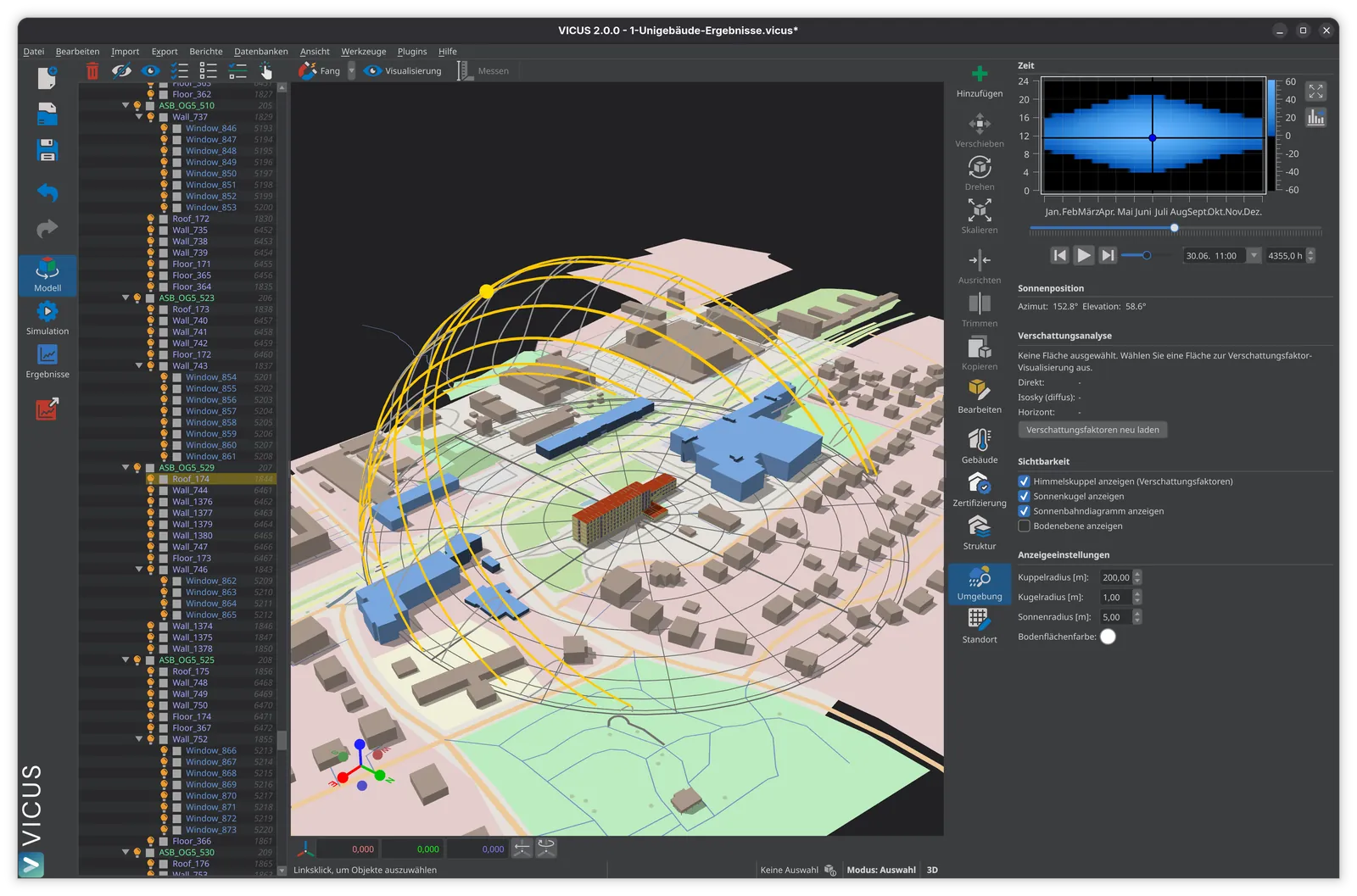
With version 2.0, VICUS Buildings is publicly released as a beta for the first time. The tool is aimed at offices that want to run thermal building simulations directly inside a 3D model — using the NANDRAD solver, a flexible geometry workflow based on elevation levels (split-levels, set-back floors and multiple buildings per project without workarounds), shadow maps in the shading view, and a consistent long-wave radiation balance between View3D and NANDRAD. Zone sub-templates let you combine usage, lighting and ventilation parameters modularly; the construction and user-profile reports are shippable without reworking them in Word. HVAC modelling is included, but is itself still in a beta phase within this release.
VICUS Buildings is free of charge for teaching and academic use (license on request).
VICUS Districts: diversity optimiser for coincident loads
In VICUS Districts the new diversity optimiser automatically finds a profile combination that works across all consumers. It operates on node time-shifts and produces a realistic load overlay at the press of a button, even with a mix of residential, commercial and special consumers on the same network.
Two further changes make themselves felt in everyday work. Pipe sizing can now be aligned with real pump behaviour (“by pump pressure head”) and combined with DN velocity limits. The internal pipework inside the building is modelled directly through a new edge type and flows into the bill of materials automatically — the typical gap between network design and tender disappears. For onboarding existing networks, the GIS import has been reworked, with separate pages for pipes and consumers and DN as a pipe attribute.
Data handover and migration
Buildings and Districts both import shapefiles, and Buildings exports geometry as DXF — handover to architects or HVAC engineers no longer goes through screenshots. For load profiles from metered data or upstream simulations there is a new TSV and spline editor, plus import/export of demand time series directly inside the Districts editor.
Existing Districts projects from 1.8 and 1.9 open directly in 2.0 — VICUS creates an automatic backup of the original file on first open.
Download VICUS 2.0
If you haven’t tried VICUS Buildings or Districts yet, the easiest entry point is a quick demo with our team. Questions about licensing or the beta are welcome via our contact form.
Ready to try it yourself?
Experience VICUS Software live — in a personal demo or download it right away. Sustainable planning starts here.